Calibrating the camera
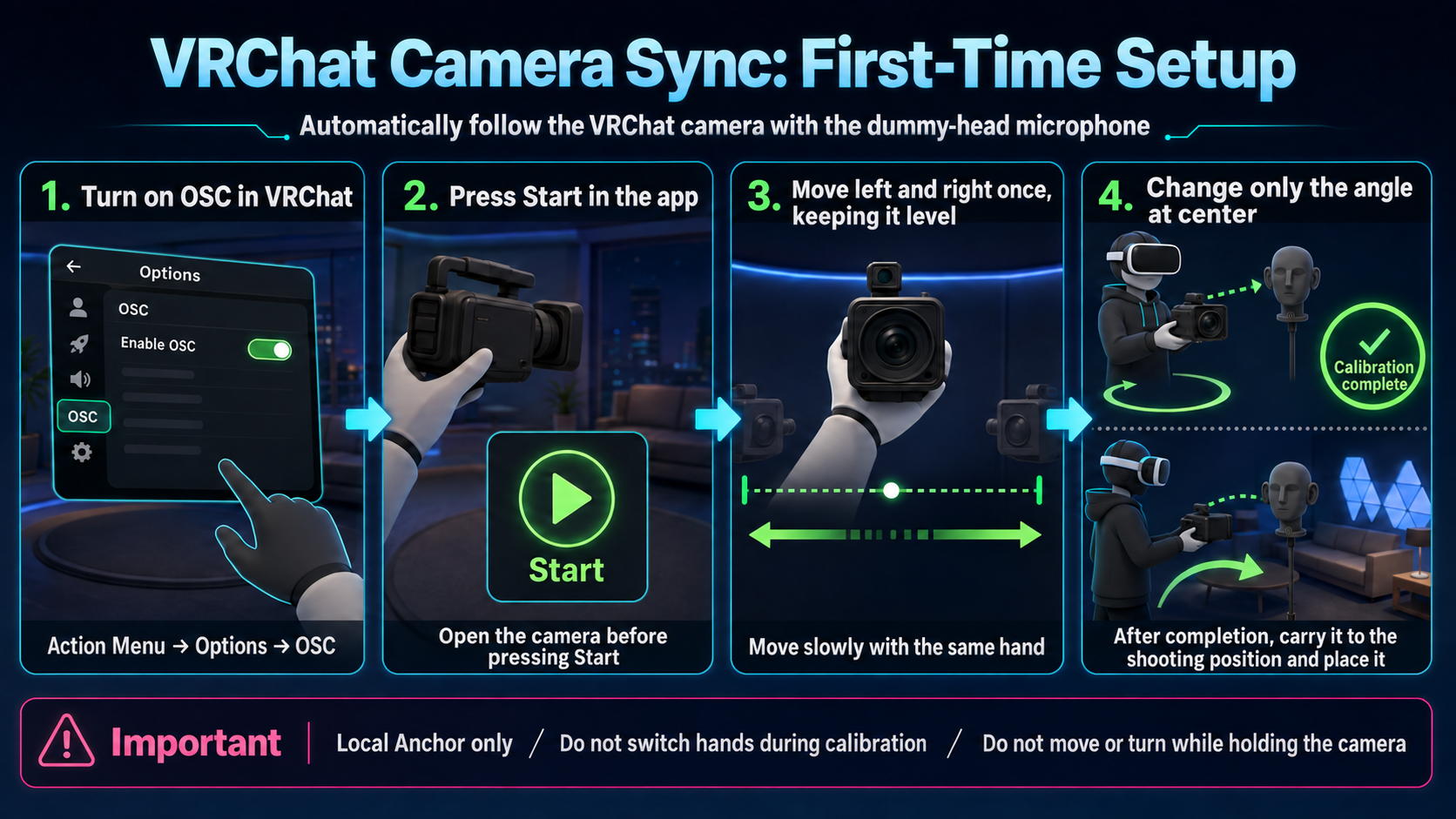
Calibration measures the relationship between the camera in VRChat and the position of your physical controller.
- Show the VRChat camera and press Start under Sync with VRChat Camera.
- Wait for the Preparing indicator to disappear.
- Hold the camera near its center with one hand and keep it level in selfie orientation.
- When the long left-right bar and a dot appear, keep the height and orientation steady. Slowly move left and right once along the dot's path, then return to the center.
- At the center, keep the position fixed and smoothly change only the camera's orientation using your wrist, forearm, and elbow.
- When the green circle begins to draw, stop moving and remain still while holding the camera with the same hand.
- When “Calibration complete” appears, move the camera to the filming position and place it there.
Important during calibration
- Do not switch hands before calibration completes.
- Do not use the stick to move or turn while holding the camera.
- Do not grab the camera during “Moving” or “Waiting for stability”; continue only when “Ready” appears.
- If the prompt returns to the left-right movement step, repeat from the long-bar step.
Recording in portrait orientation
Changing the camera to portrait orientation in VRChat alone does not change the audio orientation. Set Acoustic Camera Orientation to “Portrait” as well.
If a prompt is unclear or calibration stops progressing, see the status guide.